
SendPol Magento 2 Module
Installation Guide
Automate your Peppol e-invoicing directly from Magento. Simply create an invoice in Magento and SendPol handles the UBL conversion and Peppol delivery.
Table of Contents
What is SendPol for Magento?
SendPol is a Magento 2 extension that seamlessly integrates your webshop with the Peppol e-invoicing network. When you create an invoice in Magento, SendPol automatically converts it to the UBL 2.1 format and delivers it via Peppol – the European standard for electronic document exchange.
Features
- Automatic invoice submission to Peppol network
- UBL 2.1 invoice format generation
- Real-time status tracking and updates
- Comprehensive admin dashboard with analytics
- Test mode for development/staging
- B2B-only mode (VAT number filtering)
See SendPol in Action
See how easy the integration is
Start in test mode
By default, every new webshop is in test mode. Documents are validated and visible in your SendPol dashboard, but they are not forwarded to the Peppol network. This lets you safely test your workflow before any invoice goes live.
When you are ready for production, switch off test mode in your webshop settings under MyAccount.
Go to my webshopsRequirements
- Magento 2.4.0 or higher
- PHP 7.4, 8.0, 8.1 or 8.2
- SendPol account with active subscription
- Composer for installation
Installation
Via Composer (recommended)
composer require whyzzle/module-sendpolbin/magento module:enable Whyzzle_SendPolbin/magento setup:upgradebin/magento cache:cleanManual installation
Upload to app/code/Whyzzle/SendPol/ and run the setup commands.
Step-by-step setup in Magento
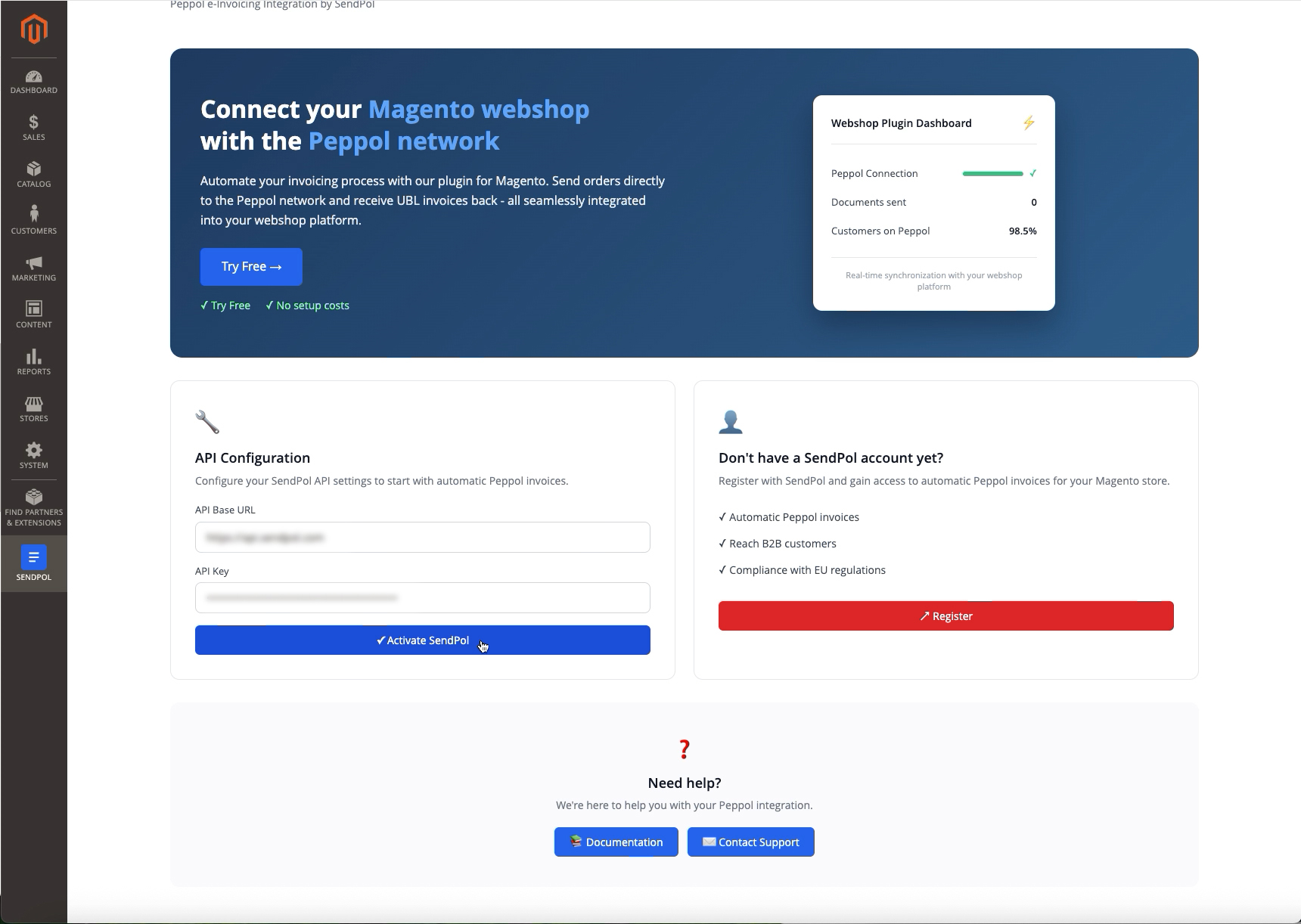
1Activate SendPol with your API key
Open the SendPol section in your Magento admin. Paste your API Base URL and API key, then click "Activate SendPol". You'll find these in your SendPol account under My Account → Webshops. A green "Activated!" confirmation means the connection is live.
2Open the SendPol dashboard
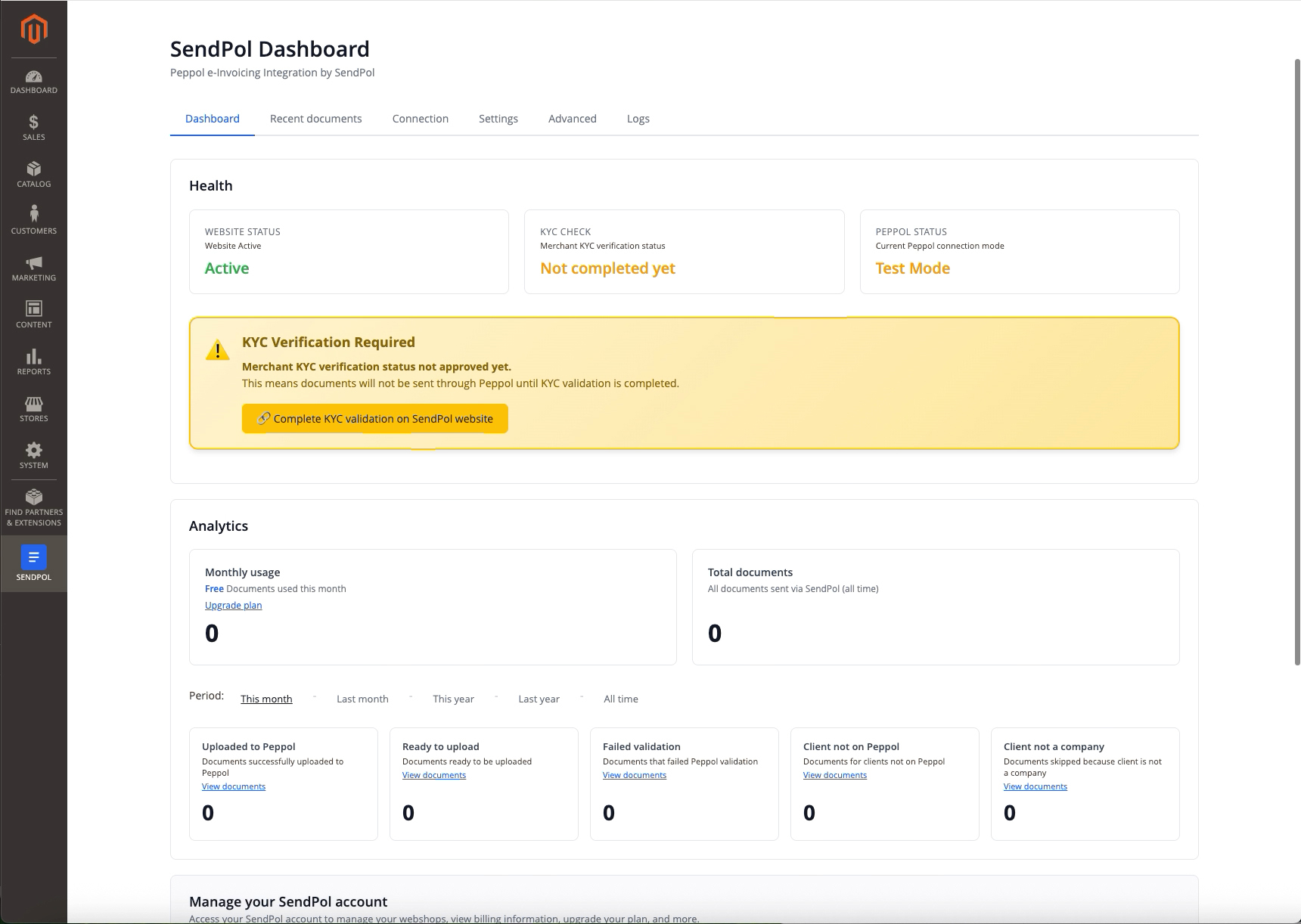
The Dashboard tab shows the health of your connection — website status, KYC check and Peppol mode — plus a live analytics breakdown of your documents. Complete the KYC verification on the SendPol website to switch from Test Mode to live Peppol delivery.
3Configure your settings
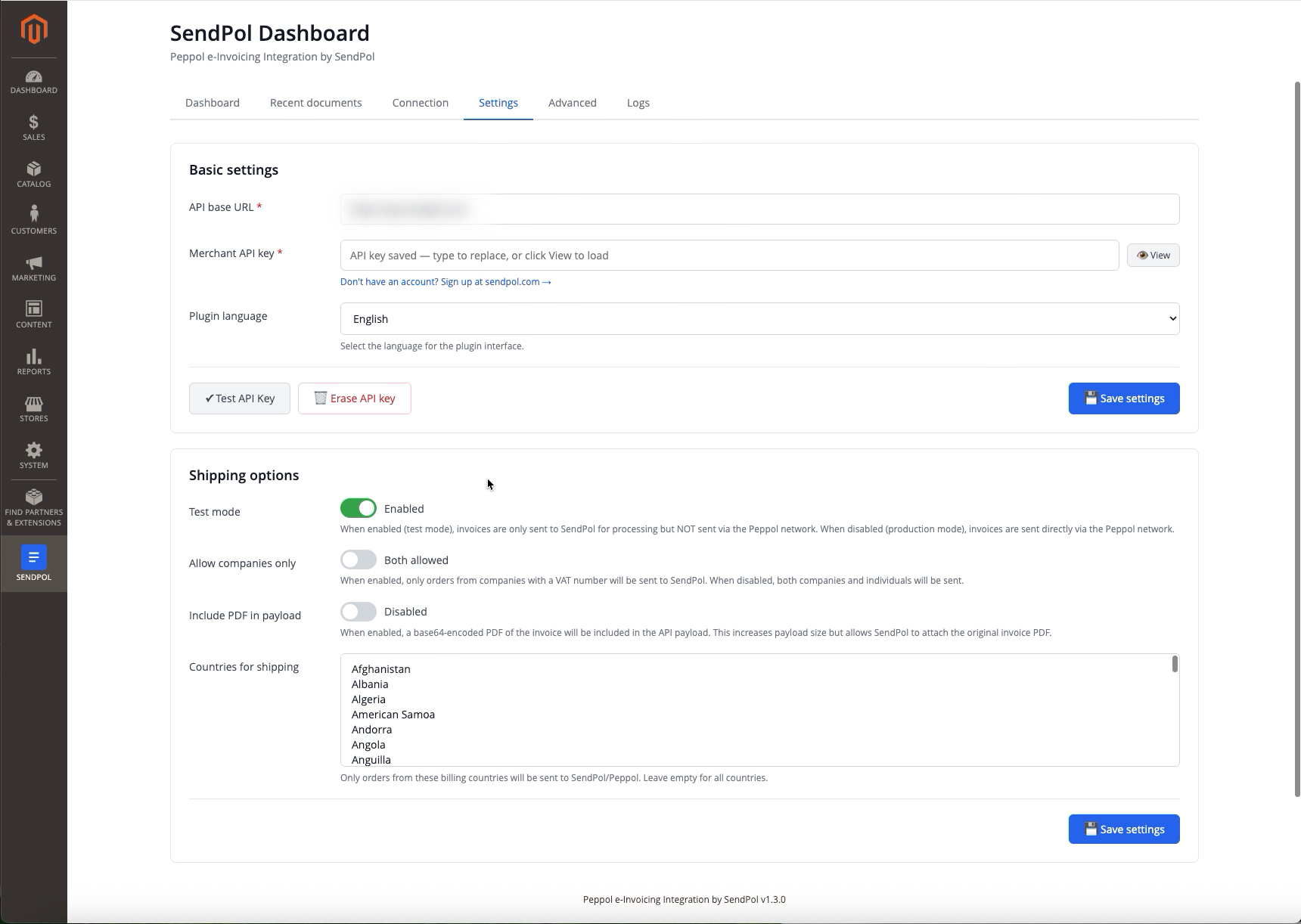
On the Settings tab you manage your API key and choose the plugin language. Under Shipping options you toggle test mode, restrict to companies only (VAT number required), optionally include the invoice PDF in the payload, and limit which billing countries are sent to Peppol.
4Review your documents
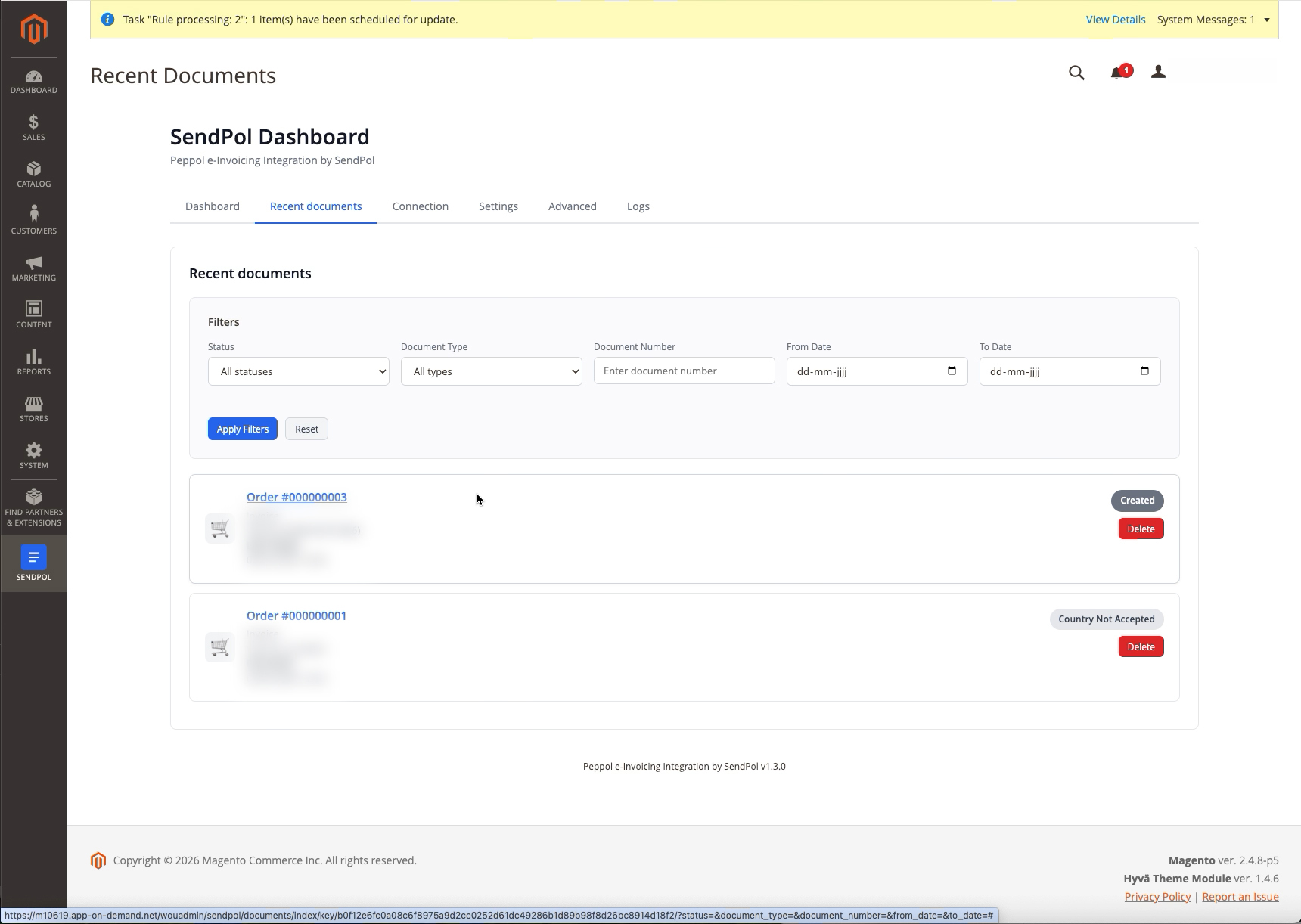
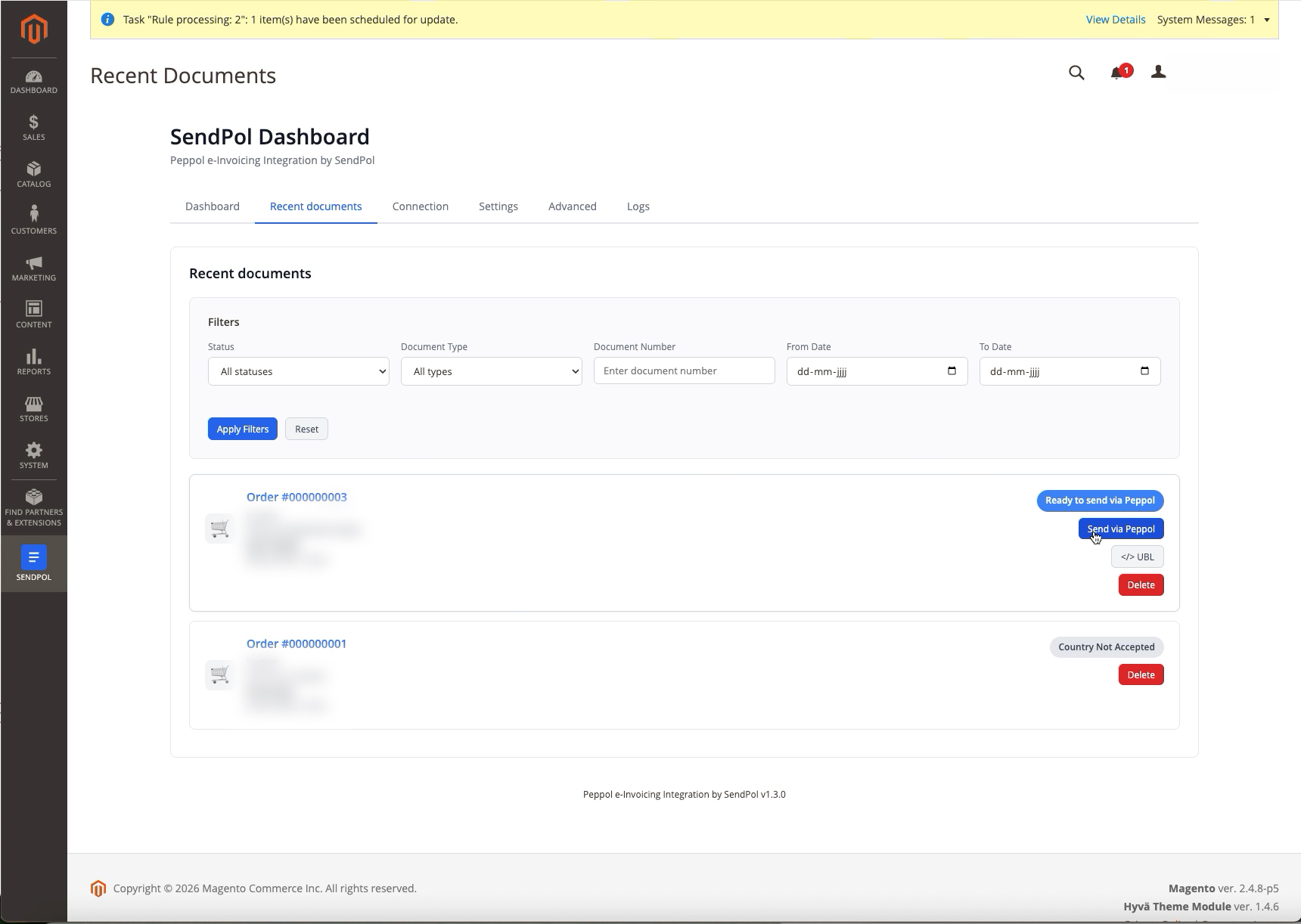
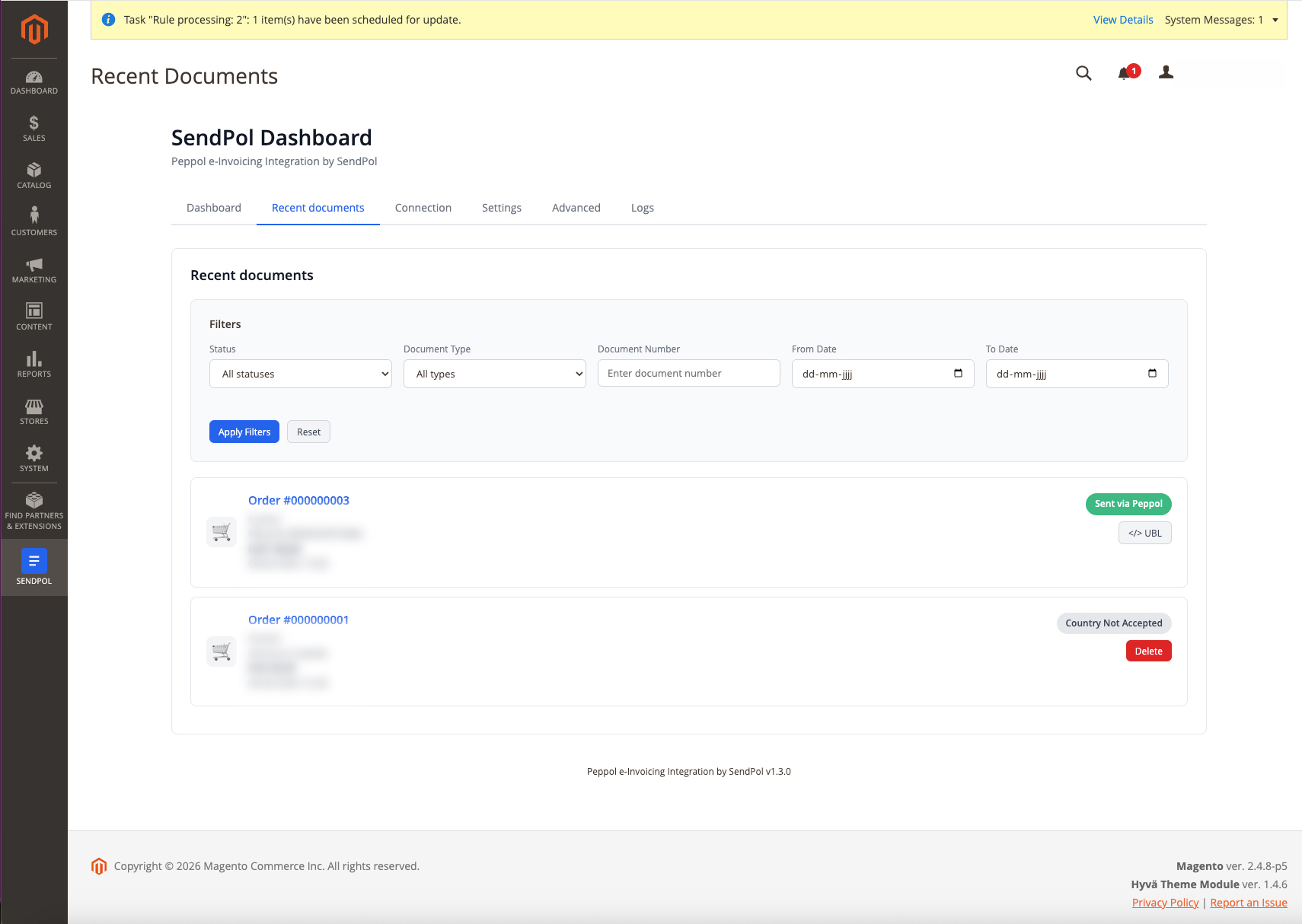
The Recent documents tab lists every order with its current status and handy filters. Orders that can't be sent — for example a billing country you excluded — are clearly flagged (e.g. "Country Not Accepted").
5Send and confirm via Peppol
For each eligible order you can send it to Peppol with one click and inspect the generated UBL. Once delivered, the status turns to "Sent via Peppol" — and in production mode the document is on its way to your customer.
Configuration options
Test Mode
Safely test without sending real invoices
B2B Only Mode
Only process invoices for customers with VAT numbers
Country Restrictions
Limit sending to specific countries
PDF Attachment
Optionally include the invoice PDF
Technical specifications
Troubleshooting
Frequently Asked Questions
Ready to get started?
Download the SendPol Magento module and start sending invoices via Peppol right away.